AI
JSON Prompt Guide: Examples, Templates, and Better AI Outputs
The complete guide to JSON prompting: why structured prompts get better AI outputs, copy-paste templates, real examples, and mistakes to avoid.

By Mohamed Ezz CEO & Founder Aug 2, 2025
JSON prompting means writing your AI instructions as structured key-value fields instead of a paragraph of prose. The model gets an explicit contract, task, constraints, output format, and you get consistent, repeatable results. It works in ChatGPT, Claude, Gemini, Grok, and every serious AI video and image tool. This guide gives you the exact templates we use, when the technique helps, and when it is overkill.
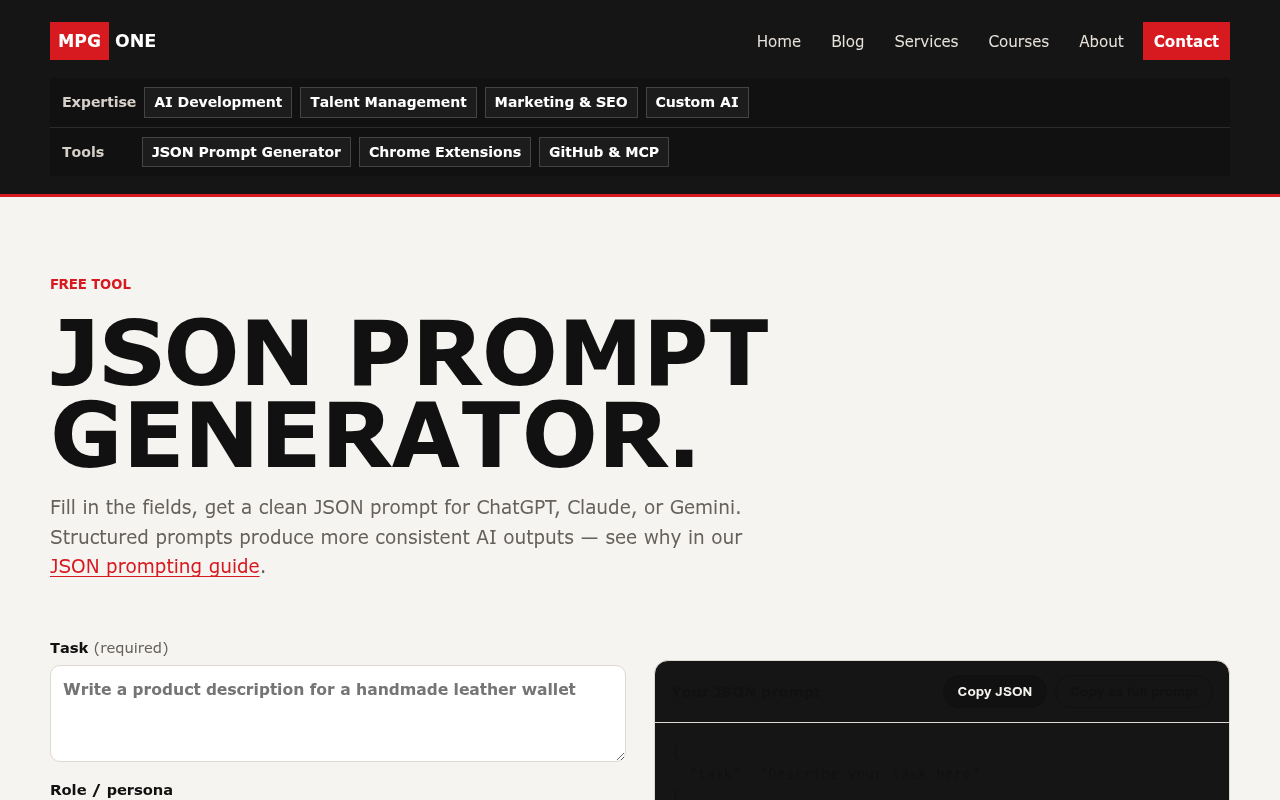
Shortcut: build any of the prompts below interactively with our free JSON prompt generator, no signup, runs entirely in your browser.
What is a JSON prompt?
A JSON prompt organizes your instructions as named fields:
{
  "role": "Senior e-commerce copywriter",
  "task": "Write a product description for a handmade leather wallet",
  "audience": "Customers aged 30-55 who value craftsmanship",
  "tone": "warm, confident, no hype",
  "output": { "format": "markdown", "length": "120-160 words" },
  "constraints": [
    "No marketing cliches",
    "Mention the 10-year warranty exactly once",
    "End with a single-sentence call to action"
  ]
}
The same request written as prose forces the model to guess which parts are requirements and which are background. Fields remove the guessing. In our JSON vs text prompt comparison, the structured version produced noticeably more consistent outputs across repeated runs, the biggest gains showed up in format compliance and constraint adherence, not raw quality.
How do you write your first JSON prompt?
Start with three fields. You can add more later, but these carry most of the weight:
{
  "task": "what you want, stated as an action",
  "constraints": ["one rule per array item"],
  "output": { "format": "markdown | json | plain text", "length": "short | 300 words | 5 bullets" }
}
Then wrap it with one instruction line so the model treats it as commands rather than data to analyze:
Follow the instructions in this JSON prompt exactly. Treat every field as a requirement.

{ ...your JSON... }
That wrapper line matters. Without it, models occasionally respond with an analysis of your JSON instead of executing it.
Which fields actually matter?
| Field | What it does | Priority |
|---|---|---|
task | The action you want. Every prompt needs one. | Required |
constraints | Hard rules, one per array item. Models treat separate array items far more seriously than a comma-separated sentence. | High |
output | Format, length, language, structure of the response. | High |
example_output | A short sample to imitate. The single strongest lever for matching style. | High when style matters |
context | Background the model needs: who, what, why. | Medium |
audience | Who the output is for. Changes vocabulary and depth. | Medium |
role | Persona for the model. Helps less than most guides claim, but cheap to include. | Low |
Copy-paste JSON prompt templates
Five templates covering the most common repeatable jobs. Replace the values, keep the structure. All of them can be assembled faster in the generator.
1. Content brief
{
  "task": "Write a blog article",
  "topic": "How small law firms can automate client intake",
  "audience": "Managing partners at firms with 2-20 lawyers",
  "tone": "practical, authoritative, zero fluff",
  "output": { "format": "markdown with H2 sections", "length": "1200-1500 words" },
  "must_include": ["a cost comparison table", "3 real software categories", "an FAQ section"],
  "constraints": ["No invented statistics", "Cite sources for every number", "American English"]
}
2. Data extraction
{
  "task": "Extract structured data from the text below",
  "output": {
    "format": "json",
    "schema": { "company": "string", "amount": "number", "currency": "string", "date": "YYYY-MM-DD" }
  },
  "constraints": [
    "Return ONLY valid JSON, no commentary",
    "Use null for missing fields, never guess",
    "If multiple records exist, return an array"
  ],
  "input_text": "...paste your source text here..."
}
3. Code generation spec
{
  "task": "Write a Python function",
  "spec": {
    "name": "dedupe_emails",
    "input": "list of email strings",
    "output": "list with duplicates removed, case-insensitive, order preserved",
    "edge_cases": ["empty list", "mixed case duplicates", "whitespace padding"]
  },
  "constraints": ["Standard library only", "Include type hints", "Include 3 pytest test cases"],
  "output": { "format": "single code block" }
}
4. AI video prompt (Veo, Sora, Runway)
Video models respond especially well to structured prompts because shots have many independent parameters:
{
  "shot": {
    "subject": "a barista pouring latte art, close-up on the cup",
    "camera": "slow push-in, 35mm, shallow depth of field",
    "lighting": "warm morning window light from the left",
    "motion": "steam rising, milk swirling into a rosetta pattern",
    "duration": "8 seconds",
    "style": "cinematic, natural color grade, no text overlays"
  },
  "avoid": ["hands morphing", "extra fingers", "logo artifacts"]
}
See our guides to Google Veo 3 and Sora 2 vs Veo 3 for model-specific capabilities.
5. Agent / system instruction
{
  "role": "Customer support triage agent",
  "task": "Classify each incoming message and draft a response",
  "rules": [
    "Refund requests over $200 -> escalate to human, do not promise anything",
    "Bug reports -> ask for browser and account email if missing",
    "Never share internal policy text verbatim"
  ],
  "output": {
    "format": "json",
    "schema": { "category": "refund|bug|question|other", "urgency": "1-5", "draft_reply": "string", "escalate": "boolean" }
  }
}
Building agents? This pairs with the Model Context Protocol for tool access, see our beginner guide to AI agents.
Does JSON prompting work differently in ChatGPT, Claude, and Gemini?
All three parse JSON structure reliably, the templates above work unchanged in each. The practical differences:
- ChatGPT (and the OpenAI API): for guaranteed machine-readable output, the API offers structured outputs / JSON mode, which enforces a schema at generation time. In the chat UI, the
"Return ONLY valid JSON"constraint plus an explicit schema field is usually enough. More in our ChatGPT API guide. - Claude: handles deeply nested structures well and is the most likely to respect long constraint arrays. Anthropic's own docs also endorse XML-style tags; in practice JSON and XML tags perform similarly, pick one and stay consistent.
- Gemini: strong JSON compliance, and the API supports response schemas. For long prompts, keep the JSON at the end of your message, after the wrapper instruction.
When should you NOT use JSON prompting?
- One-off questions. "What year did the Berlin Wall fall?" needs a sentence, not a schema.
- Exploratory and creative work. When you want the model to surprise you, brainstorming, early drafts, structure narrows the output space you are trying to widen.
- Conversation. Follow-ups, clarifications, and iterative editing flow better as plain text once context is established.
The honest rule: JSON prompts pay off when a task runs more than once or has hard output requirements. Everything else is overhead.
Common JSON prompting mistakes
- Over-engineering. Fifteen fields where four would do. Every field you add dilutes attention on the ones that matter. Start with
task,constraints,output. - Constraints as prose.
"constraints": "no cliches, be brief, use UK English"gets partially followed. Three array items get followed. - Invalid JSON. A missing comma will not break the model, LLMs are forgiving, but it undermines the precision signal. Paste through a validator or use the generator, which always emits valid JSON.
- No wrapper instruction. Bare JSON sometimes gets analyzed instead of executed.
- Forgetting the example. If output style matters and you have a good sample,
example_outputbeats any adjective you could put intone.
FAQ
Is JSON prompting better than normal prompting?
For repeatable tasks with format requirements, yes, measurably: better constraint adherence and far more consistent structure across runs. For one-off questions and creative exploration, plain text is equal or better. The technique is a tool, not a religion.
Do I need to know programming to use JSON prompts?
No. If you can fill in a form, you can write a JSON prompt, that is literally what our free generator does: form in, JSON out.
Does invalid JSON break the prompt?
No, models tolerate syntax errors and still read the structure. But valid JSON is a stronger signal and required if a downstream system parses the model's response.
Can I use JSON prompts for image and video generation?
Yes, and it is one of the strongest use cases: shots and scenes decompose naturally into fields (subject, camera, lighting, motion, style). Template 4 above works in Veo, Sora, and Runway-class tools.
Does JSON prompting use more tokens?
Slightly, braces and field names add modest overhead versus tight prose. In exchange you typically save whole retry rounds, which is where the real token cost lives.
Keep going
- JSON prompt generator, build any template above in your browser
- JSON vs text prompts: our comparison
- ChatGPT API guide and building AI agents for beginners
Helpful next steps
Turn the idea into something useful
When this topic becomes part of a real website, workflow, campaign, or AI system, these MPG ONE pages are the natural places to continue.
Build generative AI workflows for content, documents, knowledge, and brand-safe operations.
AI development servicesBuild private AI assistants, workflow automation, knowledge systems, and reporting layers.
MPG ONE coursesLearn practical AI systems, SEO growth workflows, and talent brand operations with MPG ONE training.
AI agent development servicesDesign tool-using AI agents with memory, retrieval, permissions, and human review.
Custom AI solutionsCreate a custom AI system around your data, tools, permissions, and operating model.